
Tread vs TruckIT
For producers, haulers, and contractors who run their own trucks plus sub-haulers and want AI-read tickets to become invoices.
Thanks. Now pick a time for your demo.
Your request is in. Choose a time below. If the calendar does not load, pick a time here. Want to talk sooner? Call 1-888-55-TREAD.
Thanks. We got your request.
Our support team will email you within one business day. Until then, the Tread Help Center shows how Tread works.
At a glance
Tread vs TruckIT at a glance
TruckIT and Tread both run construction hauling: dispatch, digital tickets, a mobile app, and billing. Choose Tread if you run your own trucks plus sub-haulers and want AI-read tickets to become invoices and settlements that sync to QuickBooks. Choose TruckIT if you want invoice funding through Bolton Capital or one app shared with DOT inspectors.
| Feature | Tread | TruckIT |
|---|---|---|
| Dispatch | ||
| Dispatch board | Drag, click, or bulk assign | Truck allocation, start times6 |
| Dispatch by text message | Reply YES or NO | Not listed6 |
| Mobile apps | Every role, three languages | One app, incl. DOT inspectors9 |
| Track hired trucks from the driver’s phone | No GPS hardware | Not listed7 |
| Tickets | ||
| AI reads paper ticket photos | Yes | Automatic-PIC5 |
| Ticket checks | AI checks against the job | Bulk approval, reconciliation4 |
| Digital tickets from the scale house | WEM, Astec, Command Alkon | AirTicket5 |
| Proof of delivery | Geofenced arrival, departure | Signature, time, geofence5 |
| Billing and pay | ||
| Invoices and hauler settlements | From approved tickets | Tickets to payment, accounting4 |
| Invoice funding | Not offered | Through Bolton Capital8 |
| QuickBooks | Online and Desktop | Listed partner4 |
| NetSuite, Dynamics 365, Viewpoint | Not offered | Listed partners4 |
| Tracking and reports | ||
| Truck location | App plus 50+ telematics providers | Samsara, Verizon Connect, more64 |
| Reports | Custom, scheduled, CSV | KPIs and anomaly alerts4 |
Compares Tread with TruckIT as listed on TruckIT’s public site, October 2026. Not listed means we could not find it there.
Dispatch
Your trucks and sub-haulers on one board
Most hauling days mix trucks you own with trucks you hire. 88% of companies on Tread dispatch both their own trucks and hired trucks. Tread puts both on one board, for your own drivers, owner-operators, and sub-haulers.
Track hired and sub-hauler trucks from the driver’s phone. No GPS hardware to install. Sub-haulers you work with join Tread for free.
Drag and drop, click to assign, or bulk assign trucks to an order. Dispatchers and drivers message each other inside Tread. Producers and contractors can run their own Tread and see the same trucks in real time.
TruckIT lists truck allocation, automated start-time scheduling, and changes to trucks and start times during the day. Truck brokers are one of the groups it serves. Tracking hired trucks is not described on its fleet page.
All customers on Tread, July to October 2026. Demo and test accounts excluded.
See dump truck dispatch software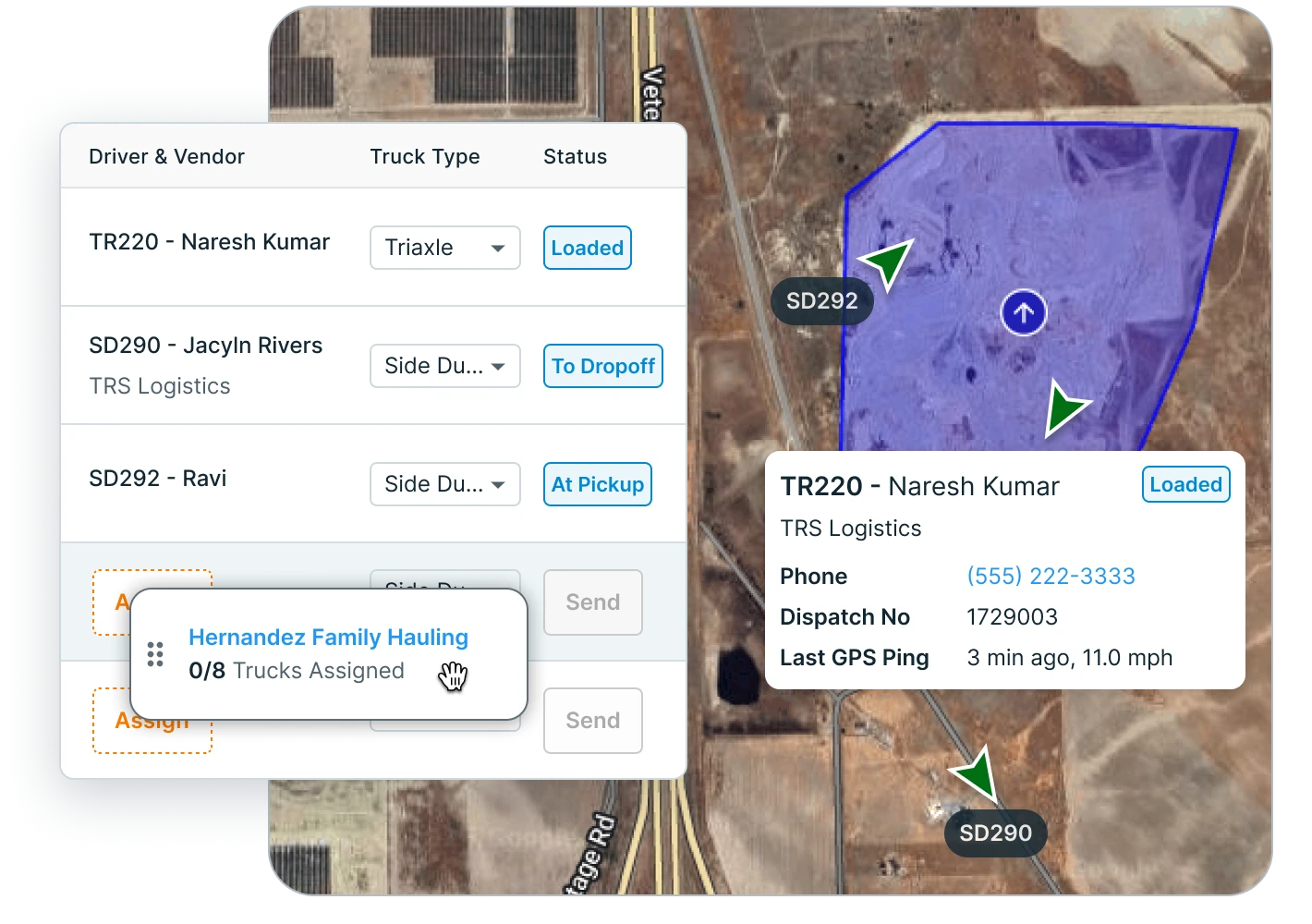
Drivers
A driver app, plus text for drivers who skip it
Drivers can get a job request by text and reply YES or NO. No app is needed for that step. Drivers can text in ticket photos. Tread’s AI agent follows up by text with drivers who haven’t submitted tickets, and collects the photos.
The Tread app on iOS and Android adds tickets, timesheets, and messaging with dispatch. The driver app is in English, Spanish, and Punjabi.
Dispatchers and drivers message each other inside Tread. The driver app keeps working without signal. Logs, locations, and ticket photos save on the phone and sync when it reconnects. New dispatches still need a connection.
TruckIT offers one iOS and Android app for drivers, dispatchers, haulers, contractors, foremen, and DOT inspectors. If you want DOT inspectors in the same app, that is a strength.
See the Tread driver app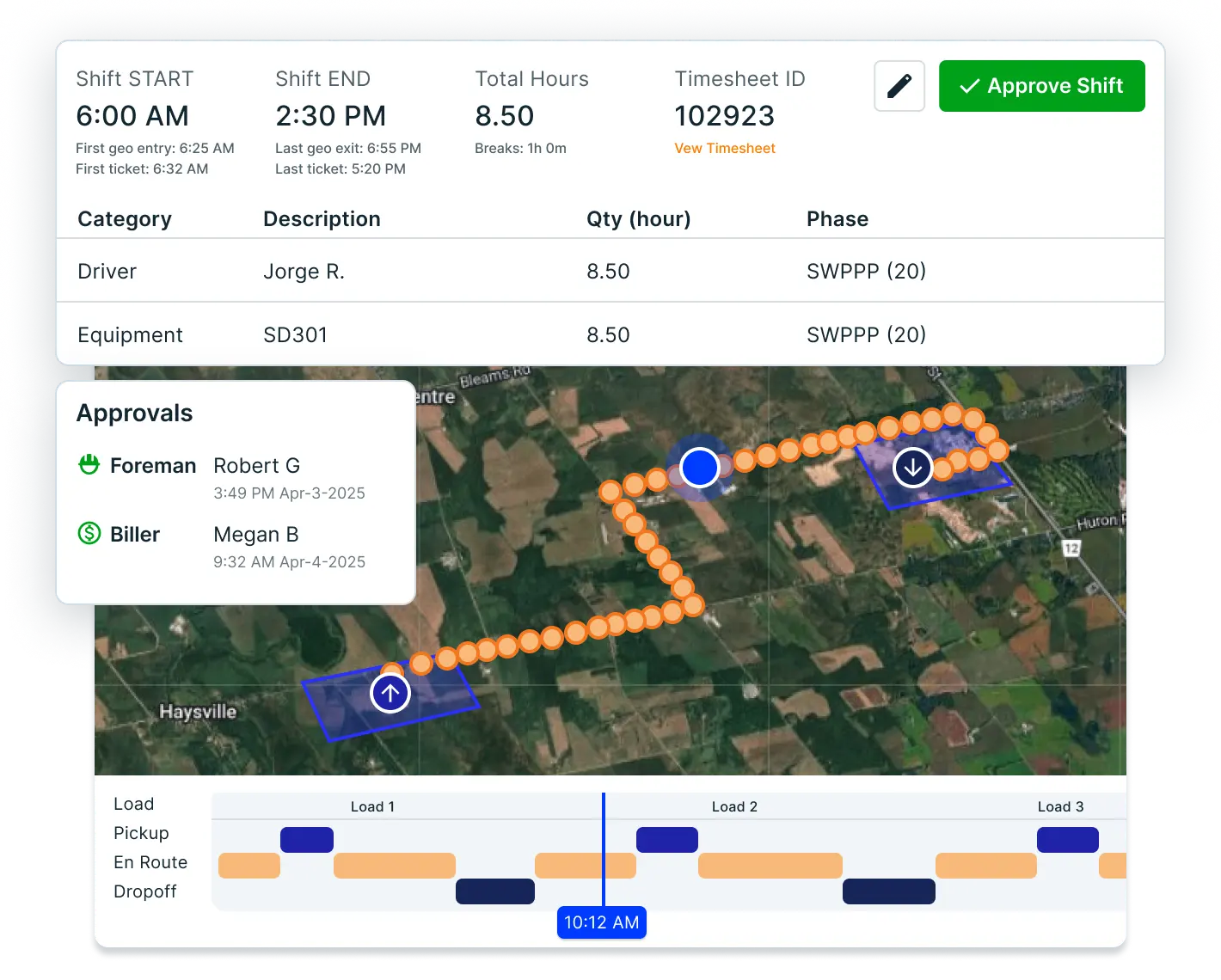
Billing
Tickets, invoices, and settlements in one record
AI checks each ticket’s quantity, date, and ticket number against the job, and flags the ones that need a look. Approved tickets become customer invoices. Approved tickets and hours become driver and vendor settlements, with overtime and prevailing-wage rules applied.
Tread syncs with QuickBooks Online and QuickBooks Desktop. It exports approved settlements as QuickBooks invoices and bills.
Tread flags potential duplicate tickets (same ticket number on the same order) for review. Customers on Tread can place orders, approve tickets, and track deliveries from their own Tread account. You pay your haulers directly.
TruckIT connects digital tickets to its payment platform, accounting software, and payroll systems. It also offers invoice funding through Bolton Capital and lists partners such as NetSuite, Dynamics 365, Foundation, and Viewpoint.
See trucking ticket management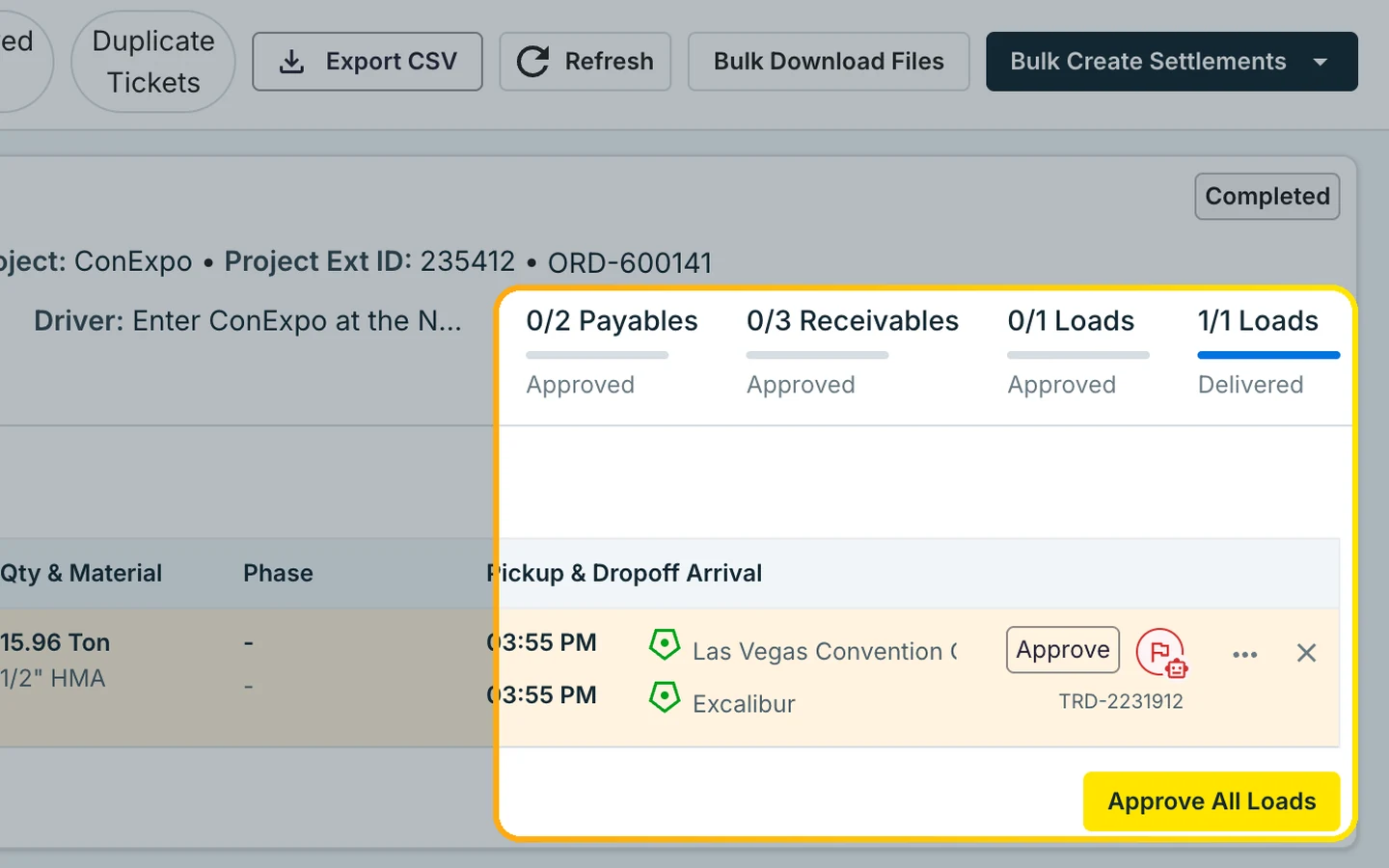
Fit
When TruckIT may fit better
Pick the tool that fits your operation. Here is where each one falls short.
TruckIT may suit you better if
- You want one app shared with foremen and DOT inspectors.
- You want invoice funding through Bolton Capital.
- You run NetSuite, Dynamics 365, Foundation, or Viewpoint and want a vendor that lists it as a partner.
Where Tread is not the fit
- Tread does not do LTL or long-haul freight. A job has one pickup and one drop-off.
- Tread does not offer ELD, DVIR, or equipment tracking.
- Tread starts with a demo, so a one- or two-truck carrier who wants to sign up online today may want another tool.
Reviews on G2
Customers who switched to Tread








“At this point in time it has outperformed any of our previous platforms and there is nothing that has negatively affected our operations.”
“…how easily I can bill my customers and pay my vendors with just a few clicks. That convenience has helped me save thousands of dollars on office personnel, and that benefit alone is a huge plus.”
Switching
Switching from TruckIT
Tread can be live in as little as a day. How fast the whole fleet rolls out depends on its size.
We load your data
Trucks, sub-haulers, customers, materials, rates, and integrations go into Tread. You don’t re-enter them.
We train your team
Dispatch, billing, drivers, and sub-haulers train on the work they will do in Tread.
Free pilot on your live jobs
Run real loads through Tread before you switch over. You pick the go-live date.
FAQ
TruckIT vs Tread FAQ
What is TruckIT?
TruckIT calls itself construction dispatch and e-ticketing software for bulk hauling. Its site lists contractors, heavy haulers, material producers, environmental firms, transportation agencies, and truck brokers as the groups it serves. Compare Tread for bulk haulers, material producers, and contractors.
Can Tread replace TruckIT?
For dispatch, tickets, approvals, invoicing, and hauler settlements, yes. Tread does not offer invoice funding or move money. Its accounting sync is QuickBooks Online and QuickBooks Desktop. If you rely on NetSuite, Dynamics 365, or Bolton Capital, plan for that. See dispatch, tickets, and invoicing.
How long does switching from TruckIT take?
Tread can be live in as little as a day. How fast the whole fleet rolls out depends on its size. Our team can load your data and train your people for you, from dispatch to the driver app. Start with a free pilot on your live jobs. Book a demo to plan it.
Do drivers need a new app?
Not for every step. Drivers can get a job request by text and reply YES or NO. No app is needed for that step. The Tread driver app adds tickets, timesheets, and messaging with dispatch. See how text dispatch works.
How does Tread read tickets?
Drivers photograph printed or handwritten tickets. AI reads scale and material tickets with 95%+ accuracy and checks each one against the job. Tread receives digital scale tickets from WEM, Astec, and Command Alkon. See e-ticketing, AI load review, and ticket management.
Does Tread work with QuickBooks?
Yes. Tread syncs with QuickBooks Online and QuickBooks Desktop. It exports approved settlements as QuickBooks invoices and bills. Setup is per company, so ask your rep. See QuickBooks trucking software, invoicing and payments, and integrations.
Is Tread a fit for a one-truck owner-operator?
Usually not. Tread starts with a demo, and our team sets up your account. If you drive for a company that runs Tread, the driver help guide shows how to accept and start jobs. See the driver app and Tread for small carriers.
Where do the TruckIT details come from?
From TruckIT’s own public pages, retrieved 2026-10-13. They are listed under Sources at the end of this page. If we could not confirm something, the table says Not listed. Compare more tools in the best dump truck dispatch software, the trucking dispatch software guide, and all comparisons.
How is Tread priced?
See current plans on the pricing page. For a quote on your own loads, book a demo. The ROI calculator helps you size the work before the call.
See Tread next to TruckIT
See how Tread handles dispatch, tickets, and QuickBooks billing on loads like yours.
Get my demo →