
Tread vs Iron Sheepdog
For dump truck and aggregate haulers who run their own trucks and sub-haulers and bill customers themselves.
Thanks. Now pick a time for your demo.
Your request is in. Choose a time below. If the calendar does not load, pick a time here. Want to talk sooner? Call 1-888-55-TREAD.
Thanks. We got your request.
Our support team will email you within one business day. Until then, the Tread Help Center shows how Tread works.
At a glance
Tread vs Iron Sheepdog at a glance
Choose Tread if you run your own trucks and sub-haulers on one board and want AI ticket reading, invoicing, and QuickBooks sync in one system. Choose Iron Sheepdog if you are a dump truck broker who wants next-day hauler pay, or financing for longer customer payment terms.
| Feature | Tread | Iron Sheepdog |
|---|---|---|
| Dispatch | ||
| Own and subcontracted trucks on one board | Yes | Brokers assign haulers |
| Driver app | Plus dispatch by text | Hauler app to accept jobs |
| Trucks from a broker network | Not offered | Yes |
| Tickets | ||
| Paper ticket photos | AI reads them | Haulers upload photos |
| Load check-in records | Geofenced arrival, departure | GPS check-in, check-out |
| Billing and pay | ||
| Customer invoices | From approved tickets | Interactive invoice |
| Cost codes | Cost and phase codes | On every load |
| Hauler pay | You pay haulers directly | Next-day pay in its app |
| Financing for longer customer terms | Not offered | ISD Pay |
| QuickBooks sync | Online and Desktop | CSV download |
| Tracking and reports | ||
| Live GPS | App plus telematics | Real-time GPS |
| Reports | Custom and scheduled | Load cycle, DBE, job cost |
Compares Tread with Iron Sheepdog as listed on Iron Sheepdog’s public site, September 2026. Not listed means we could not find it there.
Dispatch
Your trucks and sub-haulers on one board
Tread runs the fleet you have: your own drivers, owner-operators, and sub-haulers, all on one dispatch board. 88% of companies on Tread dispatch both their own trucks and hired trucks.
Drivers can take a job in the Tread app or by text. Drivers can get a job request by text and reply YES or NO. No app is needed for that step. Sub-haulers you work with join Tread for free.
Track hired and sub-hauler trucks from the driver’s phone. No GPS hardware to install. Dispatchers and drivers message each other inside Tread.
Iron Sheepdog is built around brokers who assign work to haulers through its app. Contractors can also get trucks from its broker network. If you broker most of your work, that model fits.
All customers on Tread, July to October 2026. Demo and test accounts excluded.
See scheduling and dispatch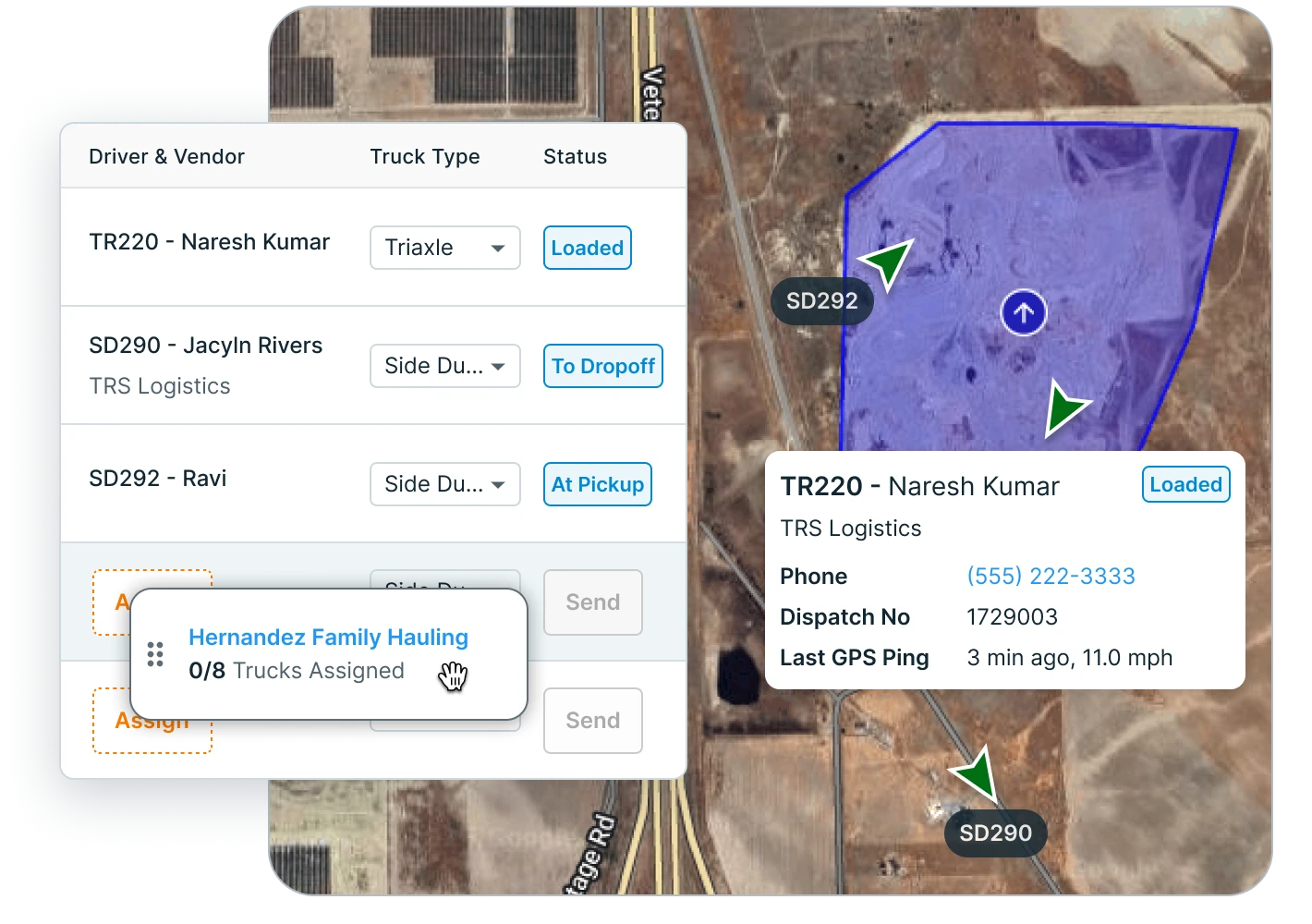
Tickets
AI reads the tickets
Drivers photograph printed and handwritten tickets. AI reads scale and material tickets with 95%+ accuracy. It checks quantity, date, and ticket number against the job, and flags the ones that need a look.
Tread flags potential duplicate tickets for review. Tread receives digital scale tickets from WEM, Astec, and Command Alkon. Geofences stamp arrival and departure at the pickup and the job.
Your billing team reviews the flagged loads and approves the rest. The driver app keeps working without signal. Logs, locations, and ticket photos save on the phone and sync when it reconnects. New dispatches still need a connection. Drivers can also text in ticket photos.
On Iron Sheepdog, haulers upload photos of paper tickets, and each load gets a GPS-verified, time-stamped check-in and check-out.
See e-ticketing and AI ticket reading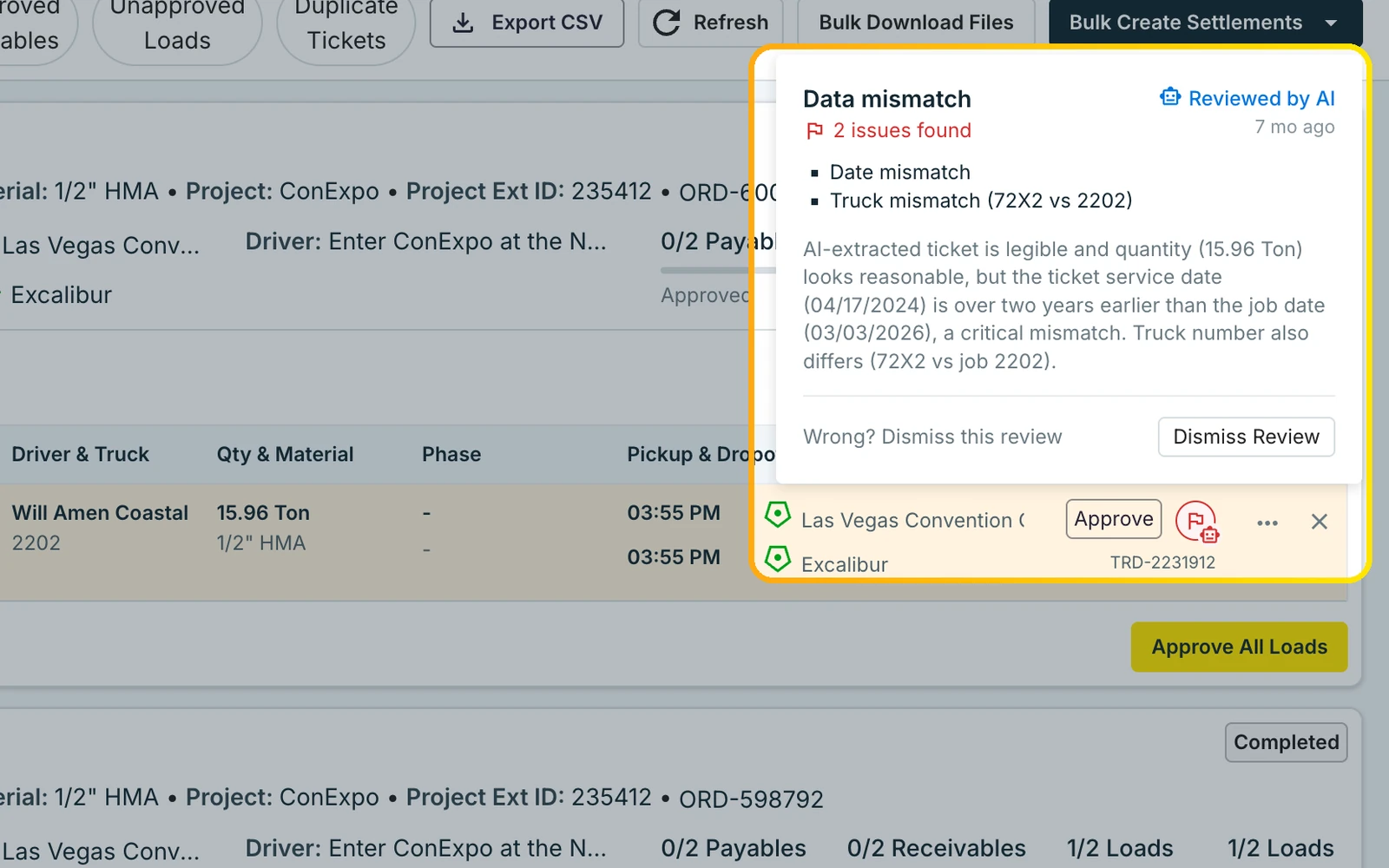
Billing
Invoices and bills that sync to QuickBooks
In Tread, approved loads move into customer invoices with cost and phase codes. The same tickets become driver and hauler settlements that you pay directly.
Tread syncs with QuickBooks Online and QuickBooks Desktop. It exports approved settlements as QuickBooks invoices and bills.
Approved tickets and hours become driver and vendor settlements, with overtime and prevailing-wage rules applied. Each settlement comes with a PDF you can email. Reports run on the same records, with custom and template reports and scheduled delivery.
Iron Sheepdog builds an interactive invoice with ticket images and cost codes, and offers a CSV download for tools like QuickBooks. It pays haulers the next day, and ISD Pay can front hauler pay so brokers can give customers longer terms.
See QuickBooks trucking software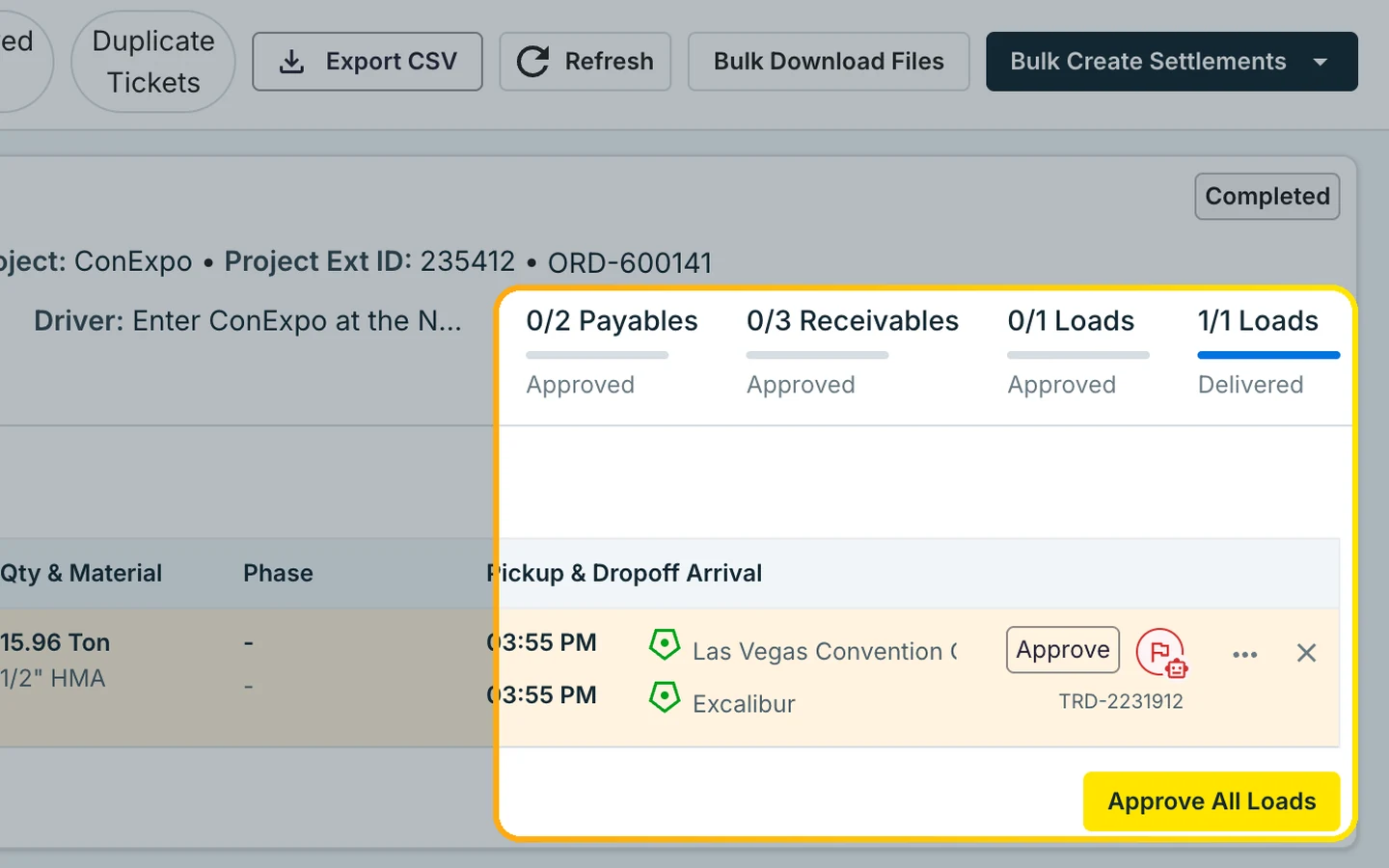
Fit
When Iron Sheepdog may fit better
Pick the tool that fits your operation. Here is where each one falls short.
Iron Sheepdog may suit you better if
- You are a dump truck broker and want the platform to pay your haulers the next day.
- You want financing so you can give customers longer payment terms.
- You are a contractor who wants trucks from a broker network.
Where Tread is not the fit
- Tread does not do LTL or long-haul freight. A job has one pickup and one drop-off.
- Tread does not offer ELD, DVIR, or equipment tracking.
- Tread starts with a demo, so a one- or two-truck carrier who wants to sign up online today may want another tool.
Reviews on G2
Customers who switched to Tread








“At this point in time it has outperformed any of our previous platforms and there is nothing that has negatively affected our operations.”
“…how easily I can bill my customers and pay my vendors with just a few clicks. That convenience has helped me save thousands of dollars on office personnel, and that benefit alone is a huge plus.”
Switching
Switching from Iron Sheepdog
Tread can be live in as little as a day. How fast the whole fleet rolls out depends on its size.
We load your data
Trucks, sub-haulers, customers, materials, rates, and integrations go into Tread. You don’t re-enter them.
We train your team
Dispatch, billing, drivers, and sub-haulers train on the work they will do in Tread.
Free pilot on your live jobs
Run real loads through Tread before you switch over. You pick the go-live date.
FAQ
Iron Sheepdog vs Tread FAQ
Can Tread replace Iron Sheepdog?
For dispatch, tickets, approvals, invoicing, and hauler settlements, yes. Tread does not pay haulers for you, offer financing, or supply trucks from a network. If you rely on next-day hauler pay, plan for that before you switch. See dispatch, tickets, and invoicing.
Does Tread pay haulers the next day?
No. Tread builds driver and hauler settlements from approved tickets, and you pay your haulers directly. See invoicing and hauler payments, same-day ticket approvals, and QuickBooks sync.
How long does switching from Iron Sheepdog take?
Tread can be live in as little as a day. How fast the whole fleet rolls out depends on its size. Our team can load your data and train your people for you, from dispatch to the driver app. Start with a free pilot on your live jobs. Book a demo to plan it.
Do we have to re-enter customers, rates, and sites?
No. Our onboarding team loads your trucks, sub-haulers, customers, materials, rates, and integrations into Tread for you. See how orders, dispatch, and integrations work once you are live.
Do drivers need a new app?
Not for every step. Drivers can get a job request by text and reply YES or NO. No app is needed for that step. The Tread driver app adds tickets, timesheets, and messaging with dispatch. See how text dispatch works.
How does Tread read tickets?
Drivers photograph printed or handwritten tickets. AI reads scale and material tickets with 95%+ accuracy and checks each one against the job. Tread receives digital scale tickets from WEM, Astec, and Command Alkon. See e-ticketing, AI load review, and ticket management.
Does Tread work with QuickBooks?
Yes. Tread syncs with QuickBooks Online and QuickBooks Desktop. It exports approved settlements as QuickBooks invoices and bills. Setup is per company, so ask your rep. See QuickBooks trucking software, invoicing and payments, and integrations.
Is Tread secure?
Tread is SOC 2 Type 2 certified. The report is available under NDA. Ask for it when you book a demo. Read how bulk haulers and material producers run Tread.
How is Tread priced?
See current plans on the pricing page. For a quote on your own loads, book a demo. The ROI calculator helps you size the work before the call.
See Tread next to Iron Sheepdog
See how Tread handles dispatch, tickets, and QuickBooks billing on loads like yours.
Get my demo →