
For producers, haulers, and contractors
AI agents for construction logistics
Three AI agents handle the paperwork between the truck and the invoice. One chases missing tickets by text. One reads timesheets and tickets. One checks every load against the job. Your team approves the exceptions.
Thanks. Your demo request is in.
We’ll email you within one business day to find a time that works. Want to talk sooner? Call 1-888-55-TREAD.
What are AI agents for construction?
AI agents for construction are software that each do one defined job in the hauling workflow. In Tread, one agent texts drivers for missing tickets, one reads timesheets and scale tickets into structured data, and one checks each load against the job and flags mismatches. A person reviews the flags and gives the final approval.
Agent 1 · AI ticket chaser
Get missing tickets back by text
When a driver’s job ends with fewer tickets than loads, the ticket chaser texts the driver. The driver replies with ticket photos, and the agent adds them to the job.
- What it does
- It texts the driver from your Driver Agent number with the date, the assignment, the pickup site, and how many loads and tickets Tread has logged. It reads the photos the driver sends back, asks for a clear photo when an image is not a ticket, and attaches each ticket to the job.
- What you do
- Turn on Text drivers for missing tickets on a project or order, or make it the default for new ones. Then review the returned tickets with the rest of the load.
- Where it fits
- It runs between the end of the driver’s day and approval. It works over text, so drivers without the Tread app are covered too. See texting features and e-ticketing.

Agent 2 · AI timesheet scanning
Turn paper timesheets and tickets into data
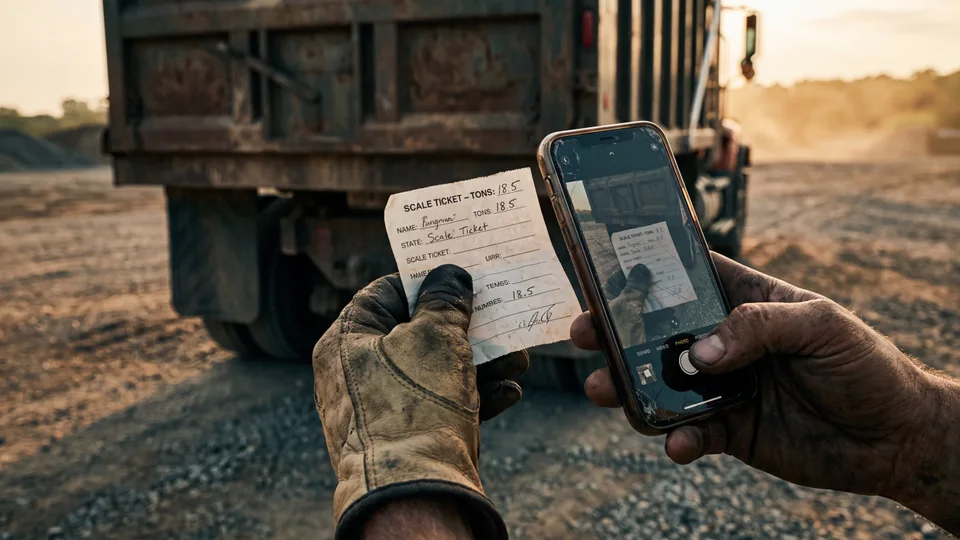
A driver photographs a paper timesheet or ticket. AI reads it and fills in the fields, so nobody retypes it.
- What it does
- From a timesheet photo, it reads the shift date, start and end times, breaks, total hours, and net hours, plus the timesheet number, driver, truck, and any job numbers. It leaves a field blank when it is not sure. AI reads tickets at 95%+, printed or handwritten, including the quantity, date, ticket number, and material.
- What you do
- Have drivers add the timesheet photo to their shift in the app. Check the hours against the job, correct anything that is off, and approve. Tread keeps what the AI read separate from your corrections.
- Where it fits
- It runs as soon as the photo comes in, before approval. See e-ticketing and the driver app.
Agent 3 · AI load and timesheet approval
Approve loads and hours by exception
AI reviews each load against the job and the other tickets on the order. It marks the loads that pass as ready to approve and flags the rest with a reason.
- What it does
- It compares the ticket quantity with other tickets on the order, checks the ticket date against the job date, and checks that the image is a readable ticket. Each load gets a status, ready to approve, flagged, or unreadable, with a short reason. Tread also flags ticket numbers that may be duplicates.
- What you do
- Filter approvals by AI review status. Clear the loads marked ready, open the flagged ones, check the ticket, and correct or dismiss the flag. Foremen approve hours with the scanned timesheet attached. A person gives every final approval.
- Where it fits
- It is the last check before billing. See AI approvals and cost coding and AI load review.

How they work together
From missing ticket to invoice
- 01
Ticket chased
A job ends with a ticket missing. The ticket chaser texts the driver, who replies with a photo.
- 02
Ticket read
AI reads the ticket and the timesheet into fields, with the photo attached.
- 03
Loads and hours checked
AI reviews each load against the order and the job. Hours sit with the shift for the foreman.
- 04
Approved by exception
Your team clears the loads marked ready and works the flags. A person approves.
- 05
Billed
Approved loads become customer invoices and hauler settlements at the project rates.
* 90.9% of 8,661 drivers dispatched on Tread were active in the driver app, September 13 to October 3, 2026. Pooled, anonymous data.
Keep exploring
Related reading
Bring a day of tickets and timesheets.
See the agents read them, check the loads, and show you only what needs a person.
Get my demo →FAQ
AI agents for construction questions
What are AI agents for construction?
AI agents for construction are software that each do one defined job in the hauling workflow. In Tread, one agent texts drivers for missing tickets, one reads timesheets and scale tickets into structured data, and one checks each load against the job and flags mismatches. A person reviews the flags and gives the final approval.
Does the AI approve loads or payroll on its own?
No. AI review gives each load a status and a reason, and a flag does not block approval. AI timesheet scanning reads the hours but does not approve them. A person on your team gives every final approval.
How does the AI ticket chaser reach drivers?
By text. When a job ends with fewer tickets than loads, Tread texts the driver with the job details and the load and ticket count. The driver replies with photos, and the agent attaches them to the job. You turn it on per project or order.
What does AI timesheet scanning read?
The shift date, start and end times, breaks, total hours, net hours, timesheet number, driver, truck, and any job numbers on the slip. If it is not sure about a field, it leaves it blank instead of guessing.
How accurate is the AI?
AI reads tickets at 95%+, printed or handwritten. Your team can check every read against the original photo and correct it before approval. An admin can also add company-specific instructions for AI reviews.
How fast can we start?
Tread can be live in as little as a day, and self-onboarding is available. You can start with a free pilot on your live jobs. Tread is SOC 2 Type 2 certified.