
Trucking ticket management software for bulk hauling.
Bill your loads without waiting for paper tickets to reach the office. Drivers photograph the ticket or text it in. AI reads it, checks it against the job, and flags the ones that need a look.
What is trucking ticket management software?
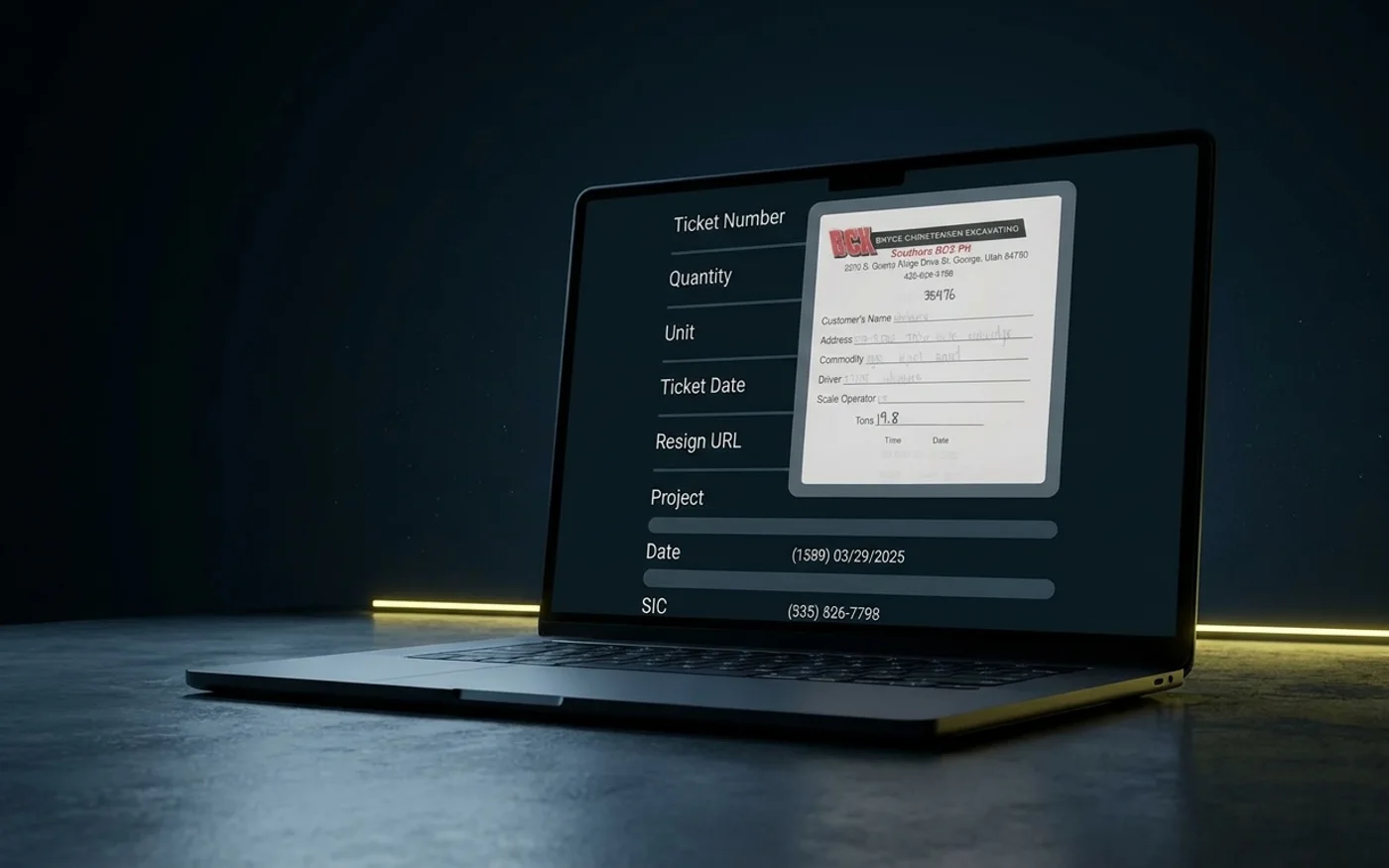
Trucking ticket management software collects the tickets drivers bring back from the scale or plant, ties each one to its load, and checks it before billing. In Tread, drivers photograph the ticket or text it in. AI reads it and checks it against the job. Approved tickets become invoices and settlements.
How does a ticket get from the truck to the invoice?
A load can’t be billed until its ticket is in. Here is the path each ticket takes in Tread.
- Capture. The driver photographs the ticket in the Tread driver app. Drivers can text in ticket photos too.
- Chase. Tread’s AI agent follows up by text with drivers who haven’t submitted tickets, and collects the photos.
- Read. AI reads printed and handwritten scale and material tickets from a photo and returns the ticket number, date, quantity, unit, material, and truck.
- Check. AI checks each ticket’s quantity, date, and ticket number against the job, and flags the ones that need a look.
- Approve. Your team approves the flagged tickets. Clean ones move on to billing.
- Bill. Approved tickets and hours become driver and vendor settlements. Tread exports approved settlements as QuickBooks invoices and bills.
The driver app keeps working without signal. Logs, locations, and ticket photos save on the phone and sync when it reconnects. New dispatches still need a connection.
Who is Tread’s ticket management built for?
| Best for | Not ideal for |
|---|---|
| Haulers collecting scale tickets from their own trucks and sub-haulers | Running the scale house itself. Tread does not provide scales. |
| Producers and contractors who need each ticket tied to a load | Long-haul freight. Tread does not do LTL or multi-stop freight. |
| Back offices that key tickets into spreadsheets today | Companies that want to sign up online without a demo |
How does Tread read a scale ticket?
Every load ends with a ticket. Most of them are still paper.
- The driver photographs the ticket in the Tread driver app. Drivers can text in ticket photos too.
- AI reads printed and handwritten scale and material tickets from a photo and returns the ticket number, date, quantity, unit, material, and truck.
- The ticket lands on the load it came from, so nobody matches it by hand later.
The cleaner the photo, the better the read. Ask drivers for one flat photo of the whole ticket.
Some tickets never touch paper. Tread receives digital scale tickets from WEM, Astec, and Command Alkon. Setup goes through the Tread team.
How does Tread check tickets against the job?
Reading a ticket is half the work. The other half is knowing whether it is right.
- AI checks each ticket’s quantity, date, and ticket number against the job, and flags the ones that need a look.
- AI reads the dispatch number and checks the ticket against the job.
- Tread flags potential duplicate tickets (same ticket number on the same order) for review.
- Tread’s AI agent follows up by text with drivers who haven’t submitted tickets, and collects the photos.
Your team approves the flagged tickets. Clean ones move on to billing.
Can you collect tickets from trucks you don’t own?
Track hired and sub-hauler trucks from the driver’s phone. No GPS hardware to install.
Sub-haulers you work with join Tread for free. Their drivers can text in ticket photos.
See dump truck dispatch software for how own trucks and sub-haulers share one board.
What customers tell us about ticket numbers
A ticket number is not an ID. Two plants can print the same number on the same day, so a duplicate check has to compare plant, date and tons too.
Where does each ticket tool start?
Tread publishes this page. Every fact about another product comes from that vendor’s own website, retrieved 2026-10-11. Some of these tools run the scale house. Tread works on the hauling side, after the ticket prints.
| Software | Where the ticket starts | Paper ticket photos | Checks against the job | Accounting |
|---|---|---|---|---|
| Tread | Driver photo, text, or a digital ticket from the scale system | AI reads printed and handwritten tickets | AI checks quantity, date, and ticket number against the job | QuickBooks Online and QuickBooks Desktop |
| Fast-Weigh | Plant scale house and loadout (“Bulk material ticketing, automated”) | Not listed on their public site as of 2026-10-11 | Not listed on their public site as of 2026-10-11 | Pushes data to accounting or ERP systems |
| TRUX Ticketing | “Generate digital tickets instantly at the scale” | Not listed on their public site as of 2026-10-11 | Verifies deliveries with load, weight, and jobsite data | Ticket data exports for billing |
| TruckIT | Paper tickets and GPS-verified e-tickets with signatures | “AI-powered OCR” | Not described in detail on their home page as of 2026-10-11 | QuickBooks and NetSuite among listed integrations |
| Toro TMS | Drivers upload ticket and BOL photos through a link | Says it “can automatically pull the information” from documents | Not described in detail as of 2026-10-11 | QuickBooks Online and QuickBooks Desktop |
Sources, each retrieved 2026-10-11:
- Fast-Weigh: https://www.fastweigh.com/automations
- TRUX Ticketing: https://www.truxnow.com/products-trux-ticketing
- TruckIT: https://www.truckit.com/
- Toro TMS: https://www.torotms.com/blog/quickbooks-trucking-software
- Tread: https://docs.tread.ai/
What happens after a ticket is approved?
Approved tickets and hours become driver and vendor settlements, with overtime and prevailing-wage rules applied, and a settlement PDF you can email. You pay your haulers directly.
Tread syncs with QuickBooks Online and QuickBooks Desktop. It pulls in your customers, vendors, items, accounts, payment terms, and tax rates, and exports approved settlements as QuickBooks invoices and bills. Setup is per company, so ask your rep. See trucking software that integrates with QuickBooks and trucking accounting software.
What about digital tickets from the scale house?
Tread receives digital scale tickets from WEM, Astec, and Command Alkon. Setup goes through the Tread team. Tread integrates with scale systems. It does not provide scales.
Digital tickets capture the weight, GPS, and timestamp data that state e-ticketing programs ask for. See e-ticketing in Tread and DOT e-ticketing requirements by state.
Our guide covers how a scale ticket should move from the scale to the invoice, from tare to retention.
Scale tickets come from scales tested against NIST Handbook 44. The Federal Highway Administration explains how e-ticketing tracks materials tickets.
Moving material for the industry’s leading producers, haulers, and contractors











FAQ
Trucking ticket management questions
What is trucking ticket management software?
Trucking ticket management software collects the tickets drivers bring back from the scale or plant, ties each one to its load, and checks it before billing. In Tread, drivers photograph the ticket or text it in. AI reads it and checks it against the job. Approved tickets become invoices and settlements.
What software do dispatchers use for tickets?
Many offices still use paper tickets and a spreadsheet. Scale houses run scale software that prints the ticket. Haulers need each ticket tied to the load it came from, so it can be checked and billed. The comparison table on this page shows where each tool starts.
Can Tread read handwritten tickets?
Yes, from a clear photo. AI reads printed and handwritten scale and material tickets from a photo and returns the ticket number, date, quantity, unit, material, and truck. Ask drivers for one flat photo of the whole ticket.
How do I stop waiting on paper tickets to bill?
Have drivers photograph each ticket or text it in when they get it. AI reads and checks it against the job, your team approves the flagged ones, and approved tickets become invoices and settlements.
Can we collect tickets from sub-haulers and rental trucks?
Yes. Track hired and sub-hauler trucks from the driver’s phone. No GPS hardware to install. Drivers can text in ticket photos.
What if a driver doesn’t send a ticket?
Tread’s AI agent follows up by text with drivers who haven’t submitted tickets, and collects the photos.
Does a person still approve tickets?
Yes. AI checks each ticket’s quantity, date, and ticket number against the job, and flags the ones that need a look. Your team approves the flagged tickets.
Can Tread take digital tickets from our scale system?
Tread receives digital scale tickets from WEM, Astec, and Command Alkon. Setup goes through the Tread team.
How much does ticket management software cost?
It depends on how many loads you run. Book a demo and we’ll walk through it with your loads.
By the Tread team. We make ticketing and billing software, so this page says where another tool fits better. Statements about Tread cover features Tread ships today.
Keep exploring
Related reading
- E-ticketing for scale tickets →
- AI approvals and cost coding →
- AI load review →
- Dispatch drivers by text →
- Scale ticket management guide →
- Dump truck dispatch software →
- Construction hauling software →
- Tread vs TruckIT →
- QuickBooks trucking software →
- Trucking accounting software →
- DOT e-ticketing requirements by state →
- E-ticketing vs paper tickets: what a paper ticket costs →
See a day of tickets checked before billing.
Book a demo to see AI read and check tickets on loads like yours.
Get a demo →Last updated