
Tread now supports MnDOT e‑ticketing
For contractors, haulers, and suppliers on MnDOT asphalt projects under Special Provision 2061 (Quality Management - E-Ticketing). Tread sends scale tickets and delivery events to the contractor’s MDMS from the same system you dispatch and ticket in.
How it works
From contract to e-ticket in five steps
- 01
Connect your e-ticketing account
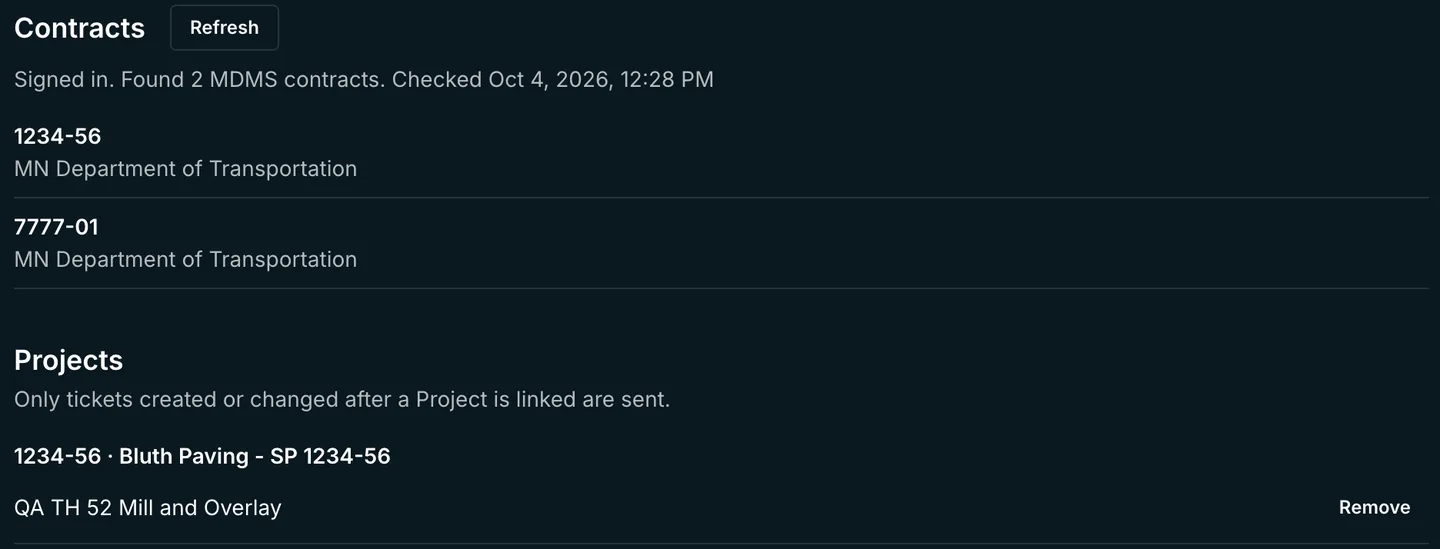
Sign in to your e-ticketing account from Tread Settings. Tread checks the login and lists the MnDOT contracts on the account.
- 02
Link your project to the contract
Pick the MnDOT contract and link the Tread project that runs it. Tickets created or changed after the link are sent.
- 03
Fix gaps and register
A readiness checklist lists the haulers, trucks, plants, and materials that are missing data, with a link to fix each one. Register haulers and material sources from the same page.
- 04
Send a test e-ticket from each plant
Send one test e-ticket per plant before the first delivery. It goes out voided and marked "Test Ticket". Record the Engineer’s acceptance as your contract requires.

- 05
Run the job
Scale tickets go out as e-tickets. When a truck enters the plant or job site geofence, Tread sends a delivery event. Each ticket shows whether it was sent or needs attention, and why.
The requirement
What MnDOT SP2061 requires
- MnDOT requires a contractor-provided Material Delivery Management System (MDMS) on contracts that include Special Provision 2061 (Quality Management - E-Ticketing).
- The provision covers plant-mixed asphalt (2360), permeable asphalt stabilized base (2363), and stone matrix asphalt (2365).
- The MDMS records source, hauler, loading and delivery event data. MnDOT uses geofences at the source and the job site for timestamps.
- Contractors give MnDOT staff logins to the MDMS before the first delivery and train the Engineer at least 7 calendar days before MDMS work starts.
- MnDOT still uses paper weight tickets as the basis of payment.
Requirements change, so confirm with your contract. See Minnesota DOT e-ticketing requirements for dates, specs, and sources.
The data
What Tread captures
- On every scale ticket
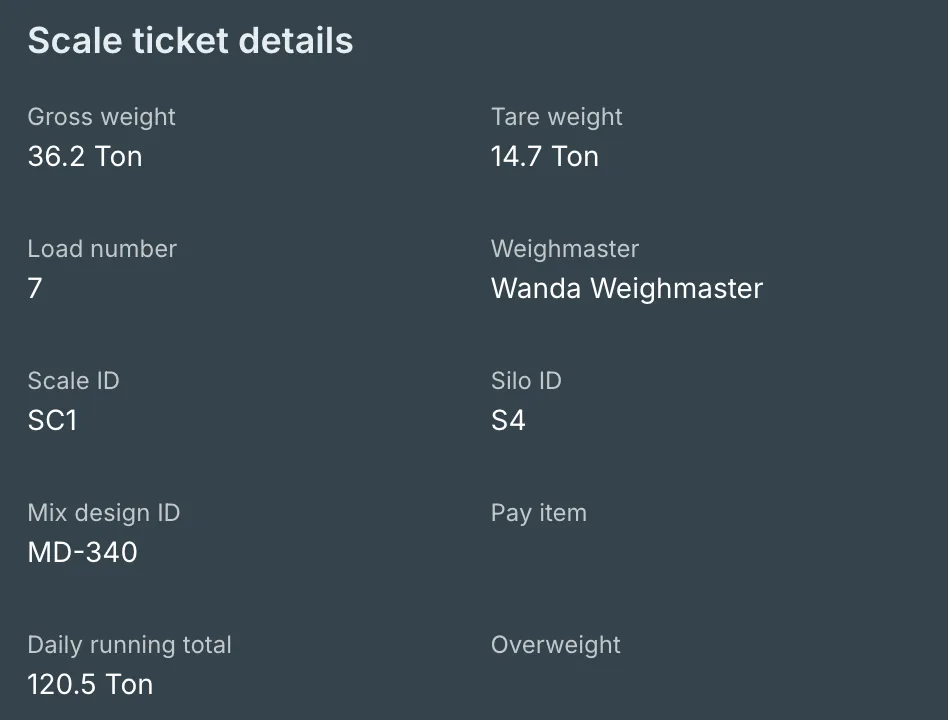
- Gross weight, tare weight, net quantity, load number, scale ID, silo ID, mix design ID, trailer ID, paver ID, weighmaster, and pay item.
- On every truck
- Overweight permit number and maximum gross weight.
- On every hauler
- The hauler’s DOT number, plus a driver classification on each equipment type.
- On every delivery
- Delivery events from geofences at the plant and the job site, with the time and location.
Get started
See MnDOT e-ticketing in Tread
- Free pilot on your live jobs.
- Tread can be live in as little as a day.
- 9 in 10 dispatched drivers on Tread are active in the driver app.
- SOC 2 Type 2 certified.
Driver app figure: 90.9% of dispatched drivers, September 13 to October 3, 2026. Figures from Tread production data.
Thanks. Your demo request is in.
Opening the calendar so you can pick a time. If it does not open, pick a time here. Want to talk sooner? Call 1-888-55-TREAD.
FAQ
MnDOT e-ticketing questions
Which MnDOT contracts does this cover?
MnDOT contracts that include Special Provision 2061 (Quality Management - E-Ticketing). The provision covers plant-mixed asphalt (2360), permeable asphalt stabilized base (2363), and stone matrix asphalt (2365). Tread lists the MDMS contracts on your e-ticketing account, and you link each one to a Tread project.
Does Tread replace paper tickets on MnDOT jobs?
No. MnDOT still uses paper weight tickets as the basis of payment on MDMS contracts. Keep printing them. Tread sends the e-ticket and delivery events alongside the paper ticket.
What do haulers and drivers need to do?
Drivers run their loads in the Tread driver app as they do today, and the truck’s location drives the geofence delivery events. The office adds each hauler’s DOT number and each truck’s overweight permit and maximum gross weight in Tread. Haulers keep carrying the paper weight ticket.
Can we test before going live?
Yes. Send a test e-ticket from each plant before the first delivery. It goes out voided and marked "Test Ticket", and Tread shows when it was sent. You record the Engineer’s acceptance outside Tread.
What happens if a ticket fails to send?
The ticket shows that it needs attention and gives the reason, such as a missing quantity. If a send never reached the system, Tread retries it on its own. If Tread can’t tell whether a send arrived, it does not resend on its own, so you don’t get a duplicate e-ticket.
How fast can we start?
Tread itself can be live in as little as a day, and we offer a free pilot on your live jobs. Setting up your e-ticketing account and MnDOT’s own contract steps run on their own schedule, so start before the first MDMS delivery.